
Before the bell
Set your own period times or use a school template. Plan in the week view, reuse a previous lesson, or let Sunday Sweep take you through the gaps.
Timetable, lesson notes, the marking pile. A place for the things that make up your school day.
Card required. Cancel before the trial ends
and you won’t be charged.
Your planner, on a school laptop
or in your pocket.
No installation needed.
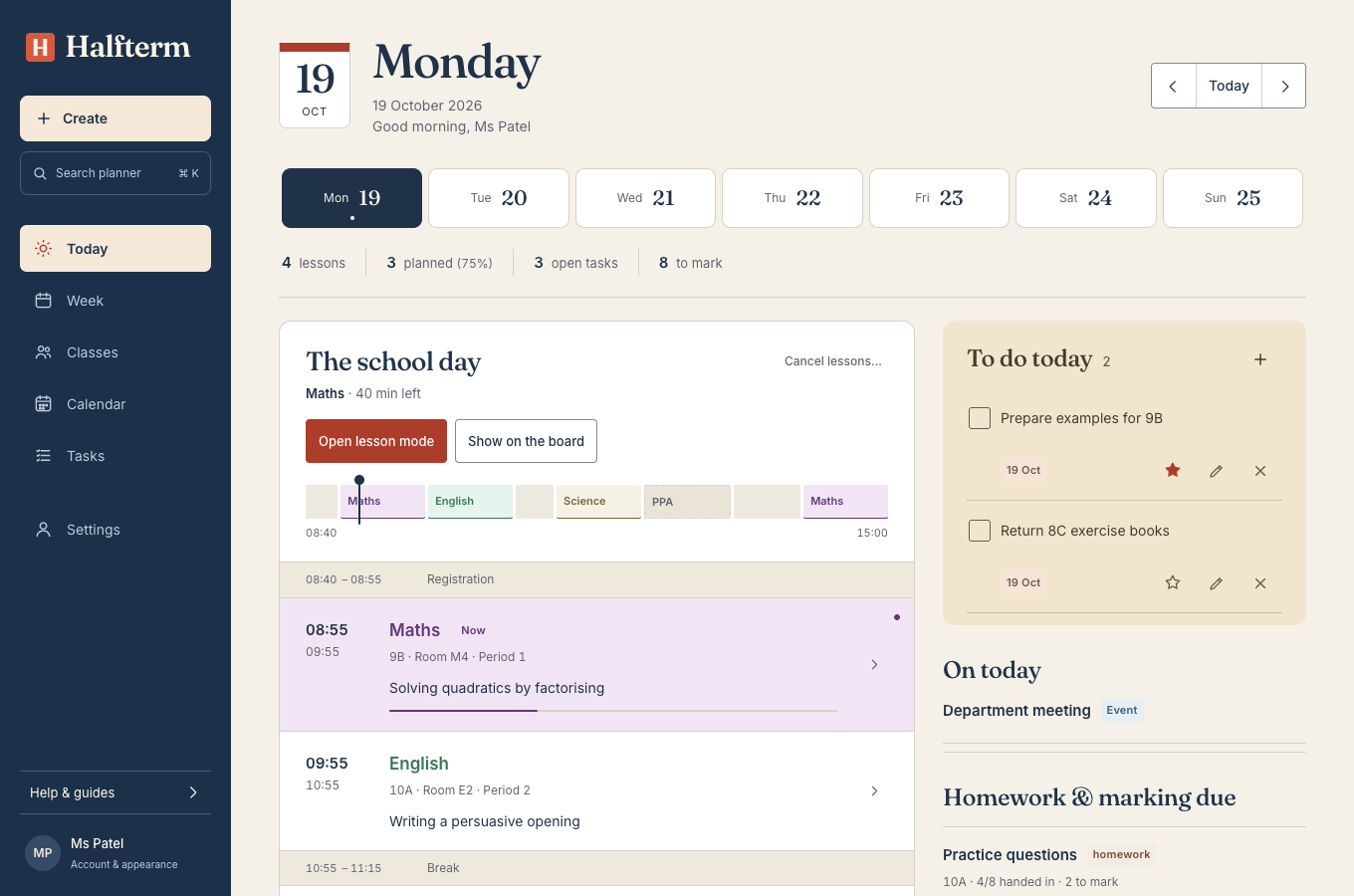
See the next lesson, open its plan and keep tasks and marking in view.
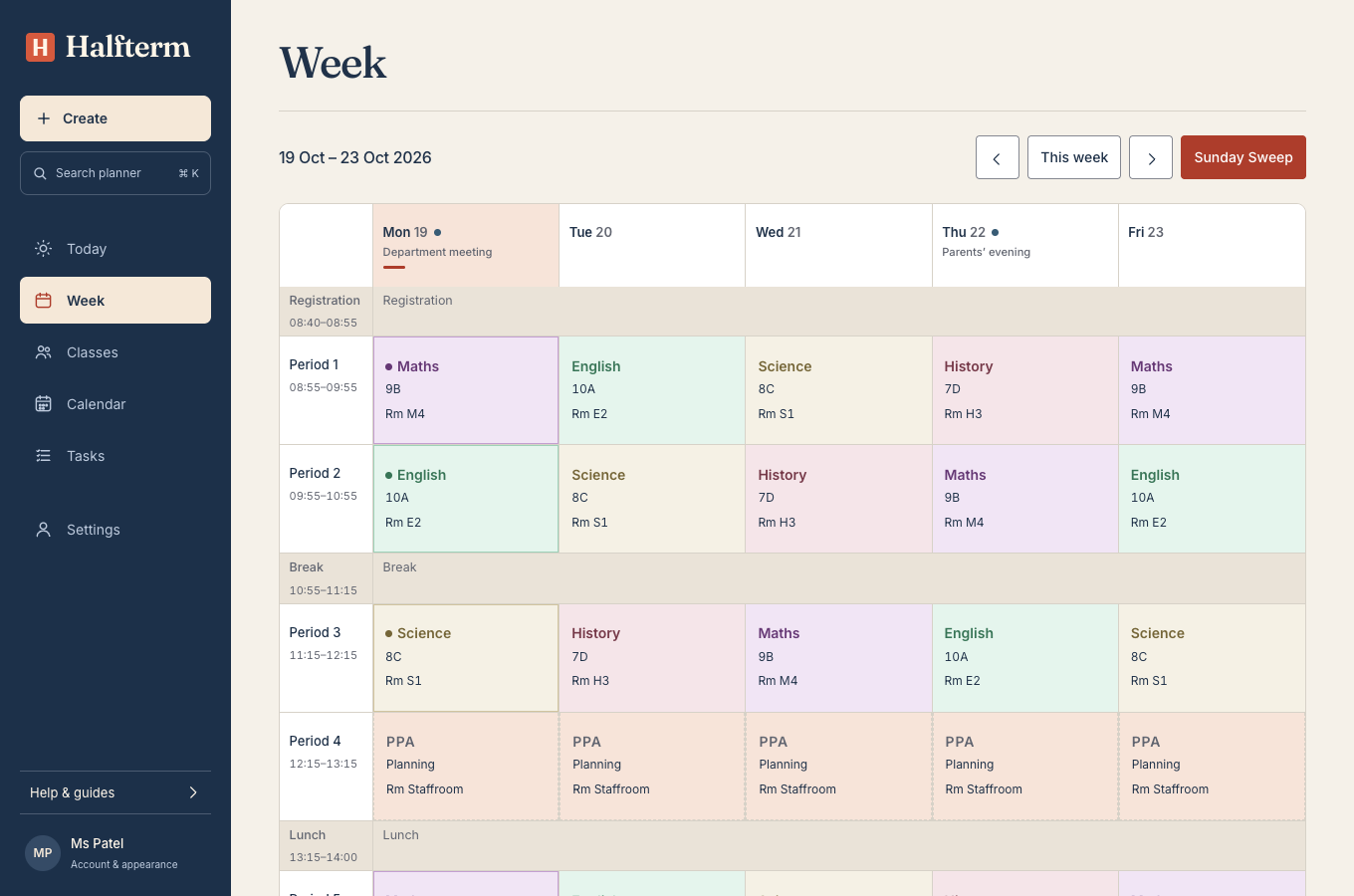
Set your school’s periods, include PPA and open any lesson to write a plan.
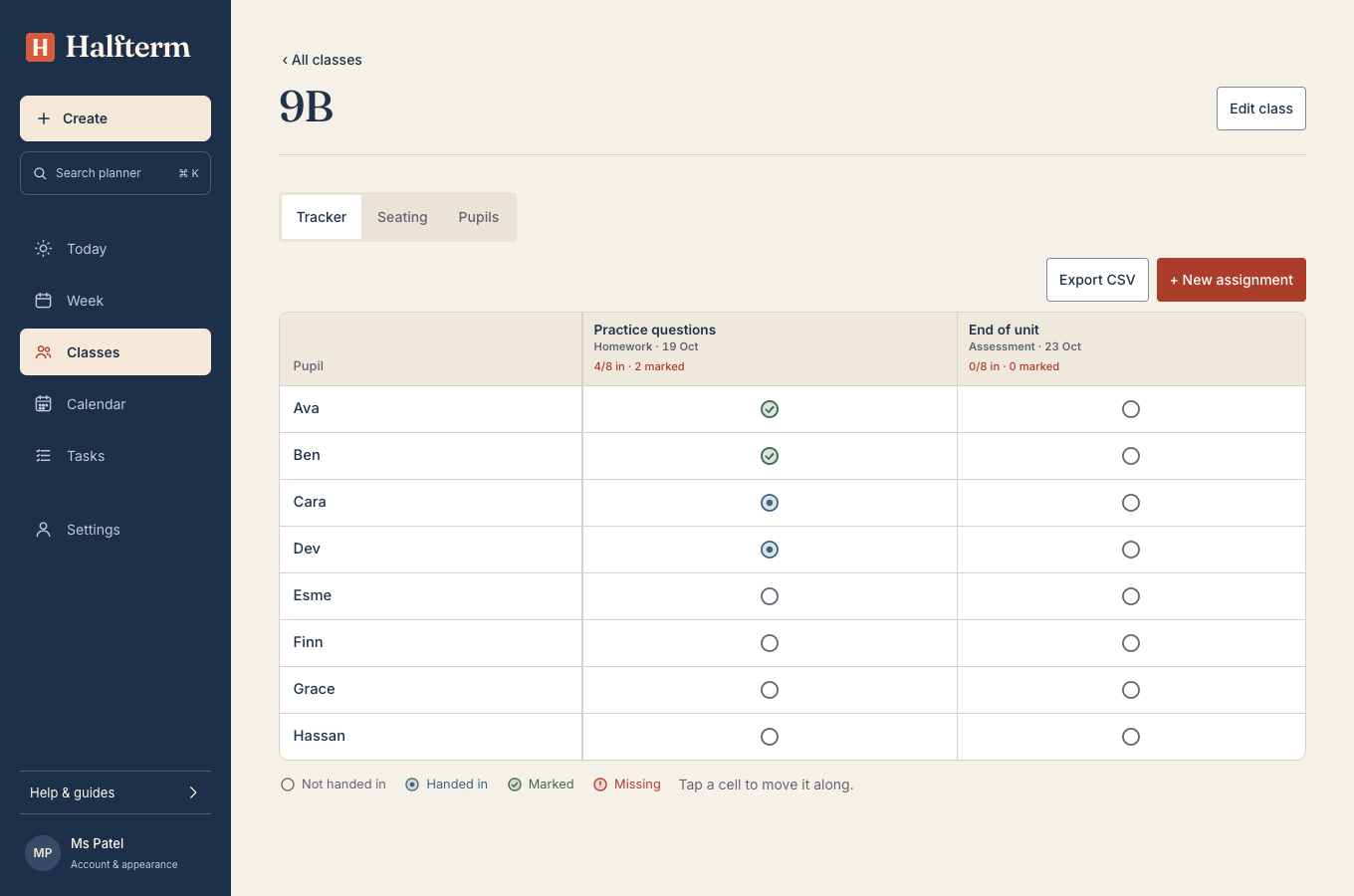
Update work as it comes in, using first names or initials. Export the tracker when you need it.
For teachers and teaching assistants in UK and US schools.
One teaching day. Fewer places to look.
Set your own period times or use a school template. Plan in the week view, reuse a previous lesson, or let Sunday Sweep take you through the gaps.
Open Lesson Mode for the timer, pupil picker and groups. Put the entrance task, objectives or your slides on the board.
Record homework and marking by class. Keep a list of who to follow up with, alongside your tasks and term dates.
Sign in on either device. Previously loaded plans stay available if the wifi drops; changes to plans, tasks and the tracker sync when you reconnect.
For the moment when the same three hands go up.
Try the pupil picker with an example class. It picks everyone once before starting again.
All seven free classroom tools8 of 8 still to be picked
Try it for 14 days, then choose monthly or yearly. Add a card to begin. Cancel before your trial ends to pay nothing.
Your existing plans stay available to view and export if you stop subscribing.
Pay as you go. Cancel any time.
£6.99 / month
Try monthlyOne payment for a year of planning.
£49.99 / year
Try yearlyOpen it in your browser. There’s nothing to install. You can also add it to your phone’s home screen. Use one-week or two-week timetables, with wording and templates for UK and US schools.
Your card is charged for the plan you chose after 14 days. We email you a few days before. Cancel from Settings before the trial ends to pay nothing. If you cancel later, you can still view and export your plans.
Previously loaded plans, timetables, tasks and classes remain available on that device. Changes to plans, tasks, check-ins and the tracker sync when you reconnect. Creating classes and calendar events needs a connection.
Use first names or initials only. Never add medical, safeguarding or special-needs details. Check your school’s policy before adding pupil names. There are no adverts and we don’t sell your data. Signing out clears the offline copy on that device. Read the privacy policy.
Each account is for one person. School-wide accounts aren’t available yet. Contact us below if you’d like to discuss what your school needs.